
Antivol
Anti-theft alarm for MacBook, with real-time alerts on your iPhone, iPad, and Apple Watch.
Version 1.3.0 · macOS 15 or later · Apple silicon & Intel · Free
The website version includes motion detection, a feature Apple does not allow in Mac App Store apps.
Private by design
Alerts sync through your own iCloud. No servers, no accounts, no tracking.
Notarized by Apple
Signed and notarized build, checked by Gatekeeper on every launch.
Light as air
A quiet menu bar app that stays out of your way until it matters.
Features
What Antivol does
Everything you need to leave your MacBook on the table and order another coffee.
Loud alarm
Plays a loud alarm through the built-in speakers, even if headphones or Bluetooth are selected.
Smart triggers
Sounds the alarm when the charger is unplugged, the lid is closed, or the MacBook is moved.
Instant alerts
Sends real-time notifications to your iPhone, iPad, and Apple Watch through your private iCloud.
Photo evidence
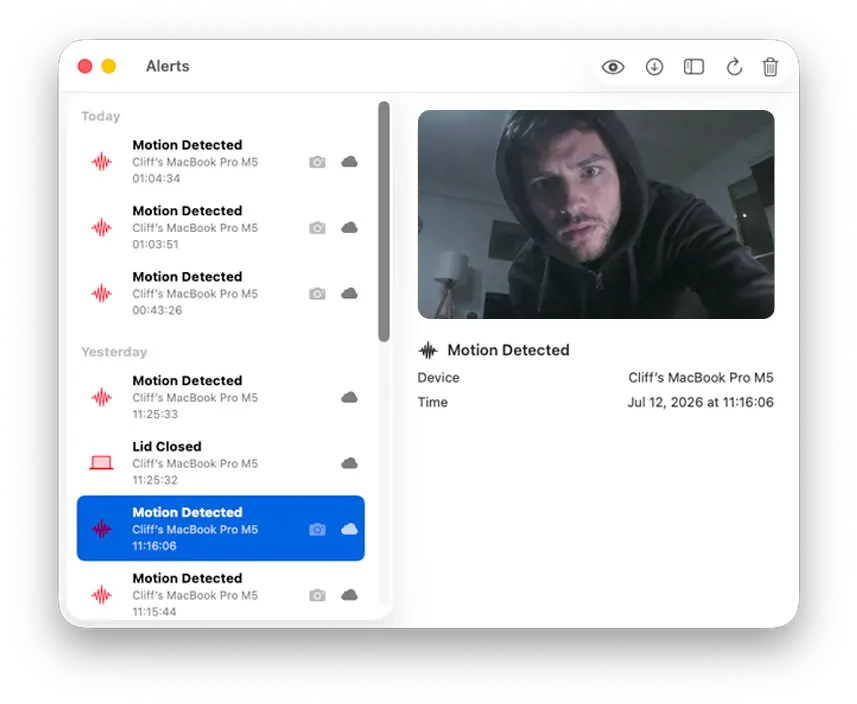
Captures a photo with the built-in camera when the alarm is triggered.
Hard to bypass
Optional password protection for stopping the alarm, opening settings, or quitting the app.
Stays in sync
Alerts and photos sync across your devices and work offline, uploading when iCloud is available.
In action
See it in action
Arm it in one click
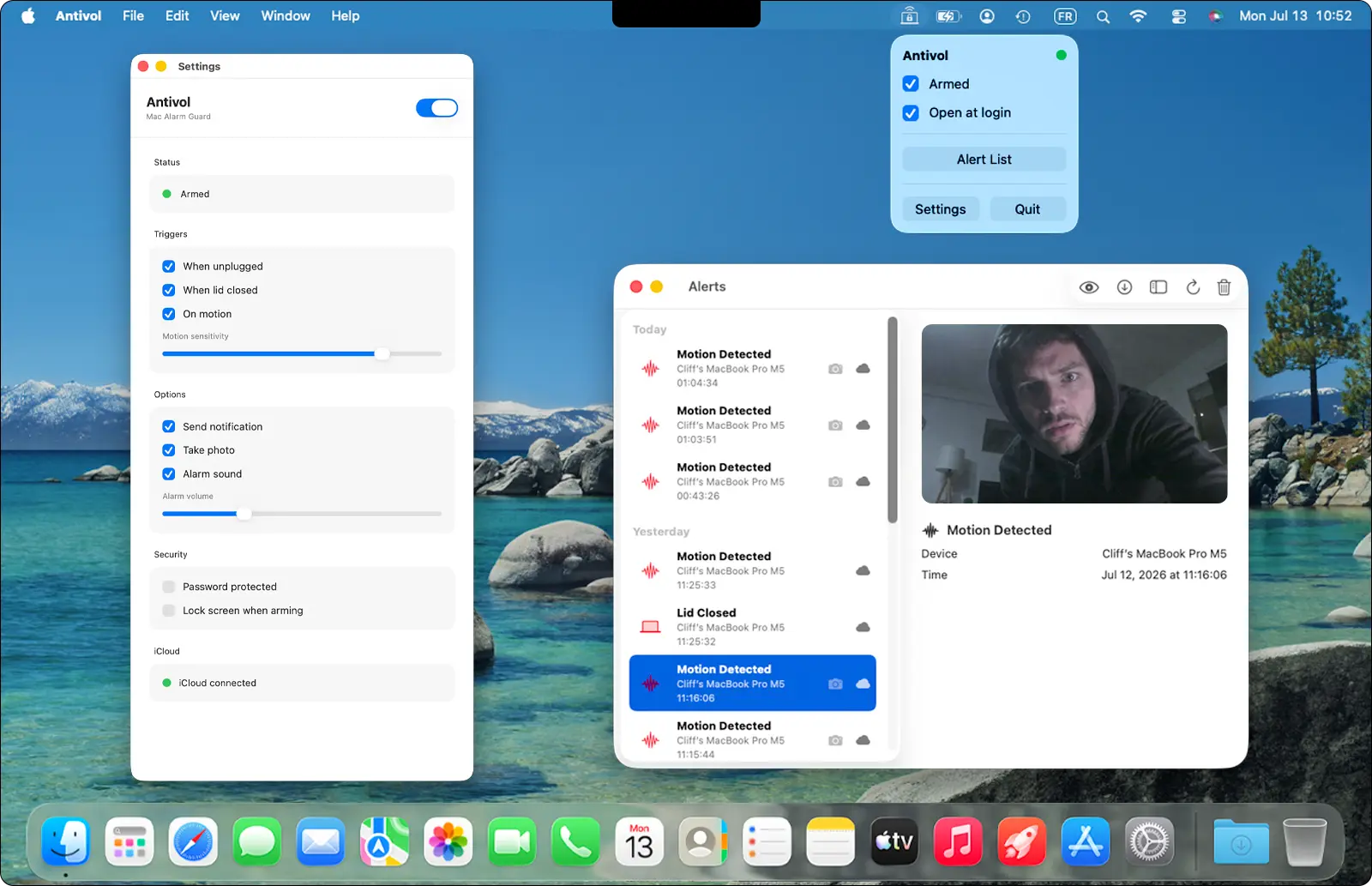
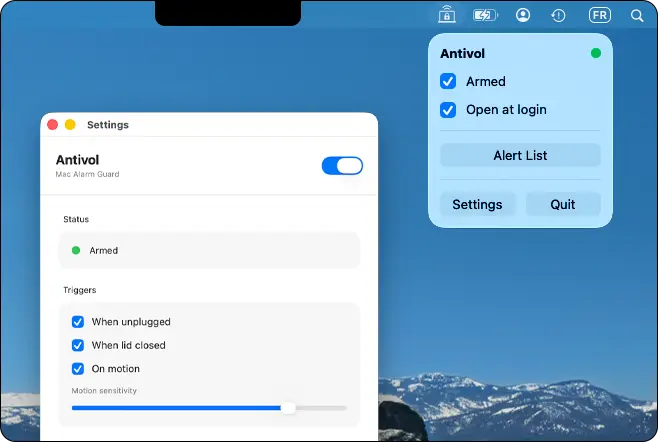
A lightweight menu bar app lets you arm Antivol, choose your triggers, and review recent alerts without getting in your way.
Alerts on every device
The moment a trigger fires, your iPhone, iPad, and Apple Watch light up instantly with the alert and a photo.

Proof in every alert
Each alarm captures a photo with the built-in camera, so you always know exactly what set it off.
Also on the App Store
A paid Mac version, plus a companion app for your iPhone, iPad, and Apple Watch.
Mac App Store
AlternativeA paid version of the Mac app. App Store rules mean it can't use motion detection. The free download above includes this feature.
iPhone, iPad & Apple Watch
CompanionThe companion app that receives your alerts and photos on the go. It's included when you buy on the Mac App Store, or a separate purchase alongside the free Mac download here.
Updates
Staying up to date
Antivol is available in two Mac builds. How you get updates depends on which one you installed.
Self-distributed Mac app
The free download from this website is distributed directly, not through the Mac App Store. It checks this site for new builds. Use Check for Updates in the app menu when a new version is available.
Mac App Store version
The paid Mac App Store build receives updates automatically through the App Store, like any other Mac app. Open the App Store app and go to Updates, or enable automatic updates in System Settings.
Localization
Supported languages
Antivol ships in 3 languages on macOS and iOS.
- English
- French
- Spanish
Verify your download
Run this in Terminal and confirm the output matches the SHA-256 below:
shasum -a 256 ~/Downloads/Antivol-1.3.0.dmgSHA-256
5ea9ac2fa70efff6b1def38bc2f5837b2f57098c527972a9166271215d4032ddDesigned for MacBook
Antivol relies on MacBook battery, lid, and motion sensors. iMac, Mac mini, Mac Studio, and Mac Pro are not supported.
Macs without motion detection
The motion trigger is not available on these Macs.
- Desktop Macs (Mac mini, iMac, Mac Studio, Mac Pro)
- Intel Macs
- MacBook Air M1 (2020)
- MacBook Pro M1 (2020)
Ready to protect your MacBook?
Download Antivol and arm it in seconds. Free, private, no account needed.
Download for MacVersion 1.3.0 · macOS 15 or later · Apple silicon & Intel · Free